

Hans Moleman
Well-known member
They said they tried to manually install the update first but it failed. They set it with scheduled update mode but also failed.Do you now if they try to install the update themselves first?
Sponsored
They said they tried to manually install the update first but it failed. They set it with scheduled update mode but also failed.Do you now if they try to install the update themselves first?

Message me the VIN so I can check and see what they did.They said they tried to manually install the update first but it failed. They set it with scheduled update mode but also failed.


Thanks for getting all of the information. My truck is still at the dealer and they haven’t given me an update before they closed today so I assumed they were not able to install the update successfully yet.@Hans Moleman They updated the PCM and these others including the door modules all back to back on the same session.
Modules pending updates now are below and DDM/PDM show nothing pending. Unless they need a Ford engineer to give them a pat of the back for a job well done, I don't know what they would need to open a case with them for.
They installed the update already. Manual updates supersede OTA's, so the OTA is not going to install now because the truck was already updated by the dealer. I'm sure you'll get a call tomorrow saying the truck is finished and you can go pick it up.Thanks for getting all of the information. My truck is still at the dealer and they haven’t given me an update before they closed today so I assumed they were not able to install the update successfully yet.
Also I just checked my Ford Pass app and it still shows the update failed to install.
That‘s great then! Will the failed to update notice eventually go away in the Ford Pass app?They installed the update already. Manual updates supersede OTA's, so the OTA is not going to install now because the truck was already updated by the dealer. I'm sure you'll get a call tomorrow saying the truck is finished and you can go pick it up.
Not sure, probably not. The OTA will eventually fail since it didn't have a chance to install, but you can ignore that message.That‘s great then! Will the failed to update notice eventually go away in the Ford Pass app?
Thanks so much for your help
It looks like the message went away overnight and my truck is back to normal now. It’s weird this update was so problematic that it required the dealer to update with FDRS.Not sure, probably not. The OTA will eventually fail since it didn't have a chance to install, but you can ignore that message.
Yes, that is how you're supposed to do it and FDRS tells you this every time you do an update.I got my truck back from the dealer today with all of the updates done along with a new battery. Everything seems to be all good now. The service notes said they had to keep the new battery on a charger while updating with FDRS.
Interrupted by another process does mean it is failing due to poor 12v battery stats. Do not reset the BMS unless the battery is 100% charged. If you want to try a BMS reset, connect that battery to a charger and only do it if is at 100% charge.I am having same issue on my 22 powerboost where I can't finish update and it says update interrupted. I called the help number from within the app and spoke to someone that mentioned they are seeing error or codes where the system is saying charge level on 12v battery is too low, which is weird cause I drive it a lot ever day including 35 min commute.
I am going to drive it home right now and immediately try doing the OTA update as soon as I get home.
My question is: Would resetting the BMS help before I start the update? Or is resetting the BMS bad if I don't need to or if I have not installed a new battery?
What would you recommend I do or try? Is there a way to tell if the battery is fully charged. Otherwise I will have to take it to dealer again. I have had this issue before and they kept it for a day or two and I am positive they ended up putting in a new battery last year.Interrupted by another process does mean it is failing due to poor 12v battery stats. Do not reset the BMS unless the battery is 100% charged. If you want to try a BMS reset, connect that battery to a charger and only do it if is at 100% charge.
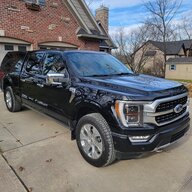
Read his post. He said " If you want to try a BMS reset, connect that battery to a charger and only do it if is at 100% charge."What would you recommend I do or try? Is there a way to tell if the battery is fully charged. Otherwise I will have to take it to dealer again. I have had this issue before and they kept it for a day or two and I am positive they ended up putting in a new battery last year.
Get yourself a charger if you don't have one. The Clore PL2320 will cost you $100 on Amazon. Just by plugging it in, it will tell you what the state of charge is.What would you recommend I do or try? Is there a way to tell if the battery is fully charged. Otherwise I will have to take it to dealer again. I have had this issue before and they kept it for a day or two and I am positive they ended up putting in a new battery last year.


