PulpoGrande
Member
- Thread starter
- #1
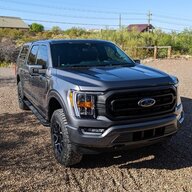
Hello all! Lets go back to December 2021. I put in my order for a Carbonized Gray Metallic XLT, 302a, Sport 4x4. April of 2022 I take delivery of my custom optioned dream truck. At the time my family of 5 could fit in the truck with a console and it was ready for camping, off roading, and fun family trips.... Whelp soon after the trucks first birthday, our family grew to 6. Uh oh... now what? For the last year I've been trying to figure out what was the best path forward. I looked at others on this forum removing their seats and adding a console and I could do the opposite! So the quest for more seating began. I wanted to go over some things I ran into unique to this swap, show you some of what i did, and ultimately share the joy of keeping my truck from ending up as a trade-in for an f250 or even worse a minivan....
As a disclaimer, this is long winded, but not a full detail step by step tear down/rebuild post of everything. Feel free to ask me questions if you have them. This post is for those of you interested in taking on this challenge to see what you are getting into. And yes it was challenging at times. This conversion requires swapping your column, modifying an HVAC vent, and if you want to keep all the outlets/charging ports your console came with, you will have to disassemble the wiring harness. This entire swap, with the exception of extending a charging wire and building my own harness, uses factory parts and is completely reversible.
Total Cost: $756.31
Total Time: 16 hours (a lot of that was the harness wiring)
Step 1- Parts:
Unfortunately none of the salvage yards near me had any trucks with what i needed. Trying to save money I used eBay to buy some parts used in good or new condition. I also found a use for the the 42k points Ford gave me for buying the truck... free parts! The free parts helped keep this under $1k
Steering column w/ shifter- Used (low milage) eBay $151.72
Black XL Crew cab seat (no fancy armrest storage for me)- Used like new eBay $312.19
-- I went with this so i didn't have to reupholster and save $$. In the future if i decide to go to leather, I will swap the seat for one with the top storage
Trim and related accessories:
(links to Tasca for ease of linking. All prices I paid include shipping)
Steering Shroud Assembly - Ford (ML3Z-3530-CA) - eBay Used - $63.66
Lower Trim - Ford (ml3z15042c74ba) 12 inch screen- eBay New - $160.40
Closure Panel - Ford (ml3z1504608ab) - Parts.Ford.com(Free with Points)
Side Panel Right Black - Ford (ml3z1504567ac) - Parts.Ford.com (Free with Points)
Side Panel Left Black - Ford (ml3z1504567ad) - Parts.Ford.com (Free with Points)
Rubber Mat - Ford (ml3z15045g34aa) - Parts.Ford.com (Free with Points)
12 Volt Accessory Power Outlet Cover - Ford (ml3z19a487aa)-eBay New $23.34
Power Outlet - Ford (mu5z19n236b) - Parts.Ford.com (Free with Points)
Instrument Panel Air Duct - Ford (FL3Z-18C420-C) - Did not order but required if you need to replace the cut duct if you want to put the console back in with working rear vents
Electrical:
I spoke with the guys over at Infotainment and this wiring kit is not available yet due to the complexity of the install so i had to build out my own.
Combined cost: ~$25
Molex Plug to Column shifter (34824-0164)
Molex Terminals x20 560023-0748- Only need 11, I got extra since i knew id mess the first few up
Connector to Truck Harness 571-2098380-1
Small Pins x20 538-33000-1002-LP Only need 11, I got extra since i knew id mess the first few up
Large Pin x2- Only needed 1 but i figured id get a spare
20 or 22 gauge wire. I had some nice silicone wire but the jacket was too big. Ended up finding 22x4 (stranded) security wire at home deport for $0.47/ft. 10 feet got me enough. I was bummed to only have 4 colors instead of 10, but it is what it is.
Tools I didn't own already:
iCrimp Open Barrel Terminal Crimping Tool for Molex Style - ~$20
Step 2- Tear down
Tools needed:
7,8,10,13, 18 mm sockets
t15 and t50 Torx
Trim pullers/levers (helps with the heart rate)
As I mentioned before, I'm not going to fully delve into this as there are plenty of other posts/videos. As a quick summary:
DISCONNECT YOUR BATTERY!!!!!
Console:

Column:
The column was surprisingly easy to remove.
Step 3- Console Disassembly:
The console is fairly intuitive on how to remove what you need. Most of the wiring goes along the bottom of the console, and has quite a few plastic tabs holding the harness to the console. Of note, to get the to rear outlets, you need to remove the trim from the rear cup holders and remove the Torx screw in the middle. The back plastic can then be pulled off (more of the tension clips like the rest of the trim). In my case the rear USB and 12v were included in the seat I got, but they still needed to be unplugged. There was an additional USB charger in the bottom of the storage compartment I removed to repurpose in the new lower trim. You will also need the KV-Antenna module that is attach to the bottom of the cup holders. I did not take picture of the console removal as it went quick i and forgot.
Step 4- Electrical:
This is where things got fun. I started working on the main harness first to figure out how I could move things around to keep access to the USB charging. The charging for the port that is used for Android Auto is attached to the console harness. I pulled the wrap back and found that the shifter harness was separate from the main console harness. This is where I decided to track down the connector 571-2098380-1 instead of using a plug similar to what Infotainment uses.


Wiring the Shifter harness:
I used the wonderful diagrams from this post '21-'23 Column to Console Shift Conversion Items and followed the wires to where the correlated to the large connector. This required removing the entire wrap as Ford reused 2 wire colors (yay). To make it easier, i made the Molex plug side first using the 34824-0164 and i numbered the 11 wires according to the column shifter side diagram. Then I followed the wires on the existing harness and numbered them at the 571-2098380-1 plug end. Basically i looked at the "Console Shifter Pinout" diagram found the wire i needed on the shifter plug end, and followed it down to its large plug, numbered it, and continued on to the next till i had all 11 wires labeled. The crimp pliers took some getting used to but once i figured it out, it was much faster going.

Console harness:
The console harness required a little work but not as much as i was expecting. In order to reuse the inner console USB port, I had to extend the wires about 2 feet to reach all the way up to the lower trim. The main USB power plug had enough length that it was a tight fit, but good enough. If i had time to go back, i would probably extend the wires 8 or so inches to give more slack. The other thing I did was pull back the orange wrap and separate off the 120v wires from the 12v and rear USB charger lines. I have not decided where to put the 120v plug yet but I wanted to give myself future options. I measured a few spots in the seat plastic but nothing had enough depth. I may try to build some sort of box for it and mount it near the rear cupholders. The wiring harness included 2 plugs for LED lights that I did not reuse. I used mounted the lower USB plug into the 12 Volt Accessory Power Outlet housing. I used a hole saw to drill it out and had to shave the edge of the lid so it would close flush with the larger footprint of the USB plug. This was the only fitting that fit in the slot on the lower trim. The USB made more sense for me since I had the plug for it instead of another 12v plug.


Harness into the seat
Now that the harness is done i fit it into the seat. I ended up running the rear wires to the side of where there are in this picture as that location didn't let the plastic close flush. I also mounted the KV antenna module to the lower storage plastic using 3M Dual Lock tape.
Step 5- Put it back together:
Now that things were where I wanted them it was time to put it all back together. I transferred over my various components to the new trim panel (HVAC, radio, 12v, etc). When test fitting it, I found that the HVAC duct that goes to the console was in the way of the new trim panel. I had to remove it and cut approximately half of it off and then foam/tape it for block off.
(this picture shows the before. The large plastic extension is easy to remove, but the main duct behind required the cutting)

Once that was figured out I installed the column and ran the shifter cable to the main harness. I had to shave the keyway on the factory harness. The one i ordered had the key way slightly to the side of the factory one. The rest of it lined up perfectly:
(note the lack duct I guess I didn't take another picture.)

Next was installing the seat and running the wires under the carpet up to the trim panel for the USB plugs. When i went to install the seats I notice the bolt holes were not threaded as they are cut by the bolts when the seat is installed. As mentioned in other posts, the console and seats use the same brackets, but different mounting holes and bolts, The seat I ordered only came with 1 bolt and i could not figure out the part number for replacements, so I ended up just cutting threads and installing regular bolts (with plenty of Loctite)
(before thread cutting)
After that was connecting the plugs, adding the trim back in installing the steering wheel:
Once everything was plugged in I reconnected the battery and waited for about 30 minutes before taking it on a test drive. Everything worked flawlessly and I'm very happy with how it turned out. The only issue I ran into after it was all done was my rear Weathertech mat no longer fits and i have to order a new one . Overall I was impressed with how all of the trim swapped in without issue and looks factory. I'm glad i ended up doing it!
** Edited to remove pictures uploading multiple times and fix a few text errors
*** Not sure why i cant get those bottom 3 pictures to stop double posting but oh well!
****Edited Pin Links for clarity
As a disclaimer, this is long winded, but not a full detail step by step tear down/rebuild post of everything. Feel free to ask me questions if you have them. This post is for those of you interested in taking on this challenge to see what you are getting into. And yes it was challenging at times. This conversion requires swapping your column, modifying an HVAC vent, and if you want to keep all the outlets/charging ports your console came with, you will have to disassemble the wiring harness. This entire swap, with the exception of extending a charging wire and building my own harness, uses factory parts and is completely reversible.
Total Cost: $756.31
Total Time: 16 hours (a lot of that was the harness wiring)
Step 1- Parts:
Unfortunately none of the salvage yards near me had any trucks with what i needed. Trying to save money I used eBay to buy some parts used in good or new condition. I also found a use for the the 42k points Ford gave me for buying the truck... free parts! The free parts helped keep this under $1k
Steering column w/ shifter- Used (low milage) eBay $151.72
Black XL Crew cab seat (no fancy armrest storage for me)- Used like new eBay $312.19
-- I went with this so i didn't have to reupholster and save $$. In the future if i decide to go to leather, I will swap the seat for one with the top storage
Trim and related accessories:
(links to Tasca for ease of linking. All prices I paid include shipping)
Steering Shroud Assembly - Ford (ML3Z-3530-CA) - eBay Used - $63.66
Lower Trim - Ford (ml3z15042c74ba) 12 inch screen- eBay New - $160.40
Closure Panel - Ford (ml3z1504608ab) - Parts.Ford.com(Free with Points)
Side Panel Right Black - Ford (ml3z1504567ac) - Parts.Ford.com (Free with Points)
Side Panel Left Black - Ford (ml3z1504567ad) - Parts.Ford.com (Free with Points)
Rubber Mat - Ford (ml3z15045g34aa) - Parts.Ford.com (Free with Points)
12 Volt Accessory Power Outlet Cover - Ford (ml3z19a487aa)-eBay New $23.34
Power Outlet - Ford (mu5z19n236b) - Parts.Ford.com (Free with Points)
Instrument Panel Air Duct - Ford (FL3Z-18C420-C) - Did not order but required if you need to replace the cut duct if you want to put the console back in with working rear vents
Electrical:
I spoke with the guys over at Infotainment and this wiring kit is not available yet due to the complexity of the install so i had to build out my own.
Combined cost: ~$25
Molex Plug to Column shifter (34824-0164)
Molex Terminals x20 560023-0748- Only need 11, I got extra since i knew id mess the first few up
Connector to Truck Harness 571-2098380-1
Small Pins x20 538-33000-1002-LP Only need 11, I got extra since i knew id mess the first few up
Large Pin x2- Only needed 1 but i figured id get a spare
20 or 22 gauge wire. I had some nice silicone wire but the jacket was too big. Ended up finding 22x4 (stranded) security wire at home deport for $0.47/ft. 10 feet got me enough. I was bummed to only have 4 colors instead of 10, but it is what it is.
Tools I didn't own already:
iCrimp Open Barrel Terminal Crimping Tool for Molex Style - ~$20
Step 2- Tear down
Tools needed:
7,8,10,13, 18 mm sockets
t15 and t50 Torx
Trim pullers/levers (helps with the heart rate)
As I mentioned before, I'm not going to fully delve into this as there are plenty of other posts/videos. As a quick summary:
DISCONNECT YOUR BATTERY!!!!!
Console:
- I removed both seats to access the lower mounting bolts of the console
- Remove the trim. I used the shifter install video from Infotainment as a visual guide to removing panels; 2021+ Ford F-150 - Stowable Console Shifter Installation Guide - Infotainment.com. The removal of the plastic was the most nerve racking part of all of this for me, but Mr. Chris gave me confidence. Yanking on the plastic was terrifying but i didn't break anything.
- After all of the trim was out there are only a few easy to see bolts holding in the console. The main harness plug for the console is located on the upper part of the console on the passenger side.
Column:
The column was surprisingly easy to remove.
- Remove the lower column trim (refer to the Infotainment video)
- Unplug the harnesses connected to the column.
- There are 2 bolts and 2 nuts that hold the column on the truck and 1 bolt where the column attaches to the intermediate shaft.
- I left the steering wheel on for easy access to the airbag tabs on the back. Much easier to spin a free wheel then it still being mounted on the truck. I had a helper hold the wheel and column for the final bolt due to the added weight.
- I had to transfer over the tilt mechanism from my column as the one i got form eBay did not include it. It has a few small parts and gears but it was not too difficult to do. Take pictures of the layout to refer to (came in handy). I also transferred over my SCCM.
Step 3- Console Disassembly:
The console is fairly intuitive on how to remove what you need. Most of the wiring goes along the bottom of the console, and has quite a few plastic tabs holding the harness to the console. Of note, to get the to rear outlets, you need to remove the trim from the rear cup holders and remove the Torx screw in the middle. The back plastic can then be pulled off (more of the tension clips like the rest of the trim). In my case the rear USB and 12v were included in the seat I got, but they still needed to be unplugged. There was an additional USB charger in the bottom of the storage compartment I removed to repurpose in the new lower trim. You will also need the KV-Antenna module that is attach to the bottom of the cup holders. I did not take picture of the console removal as it went quick i and forgot.
Step 4- Electrical:
This is where things got fun. I started working on the main harness first to figure out how I could move things around to keep access to the USB charging. The charging for the port that is used for Android Auto is attached to the console harness. I pulled the wrap back and found that the shifter harness was separate from the main console harness. This is where I decided to track down the connector 571-2098380-1 instead of using a plug similar to what Infotainment uses.
Wiring the Shifter harness:
I used the wonderful diagrams from this post '21-'23 Column to Console Shift Conversion Items and followed the wires to where the correlated to the large connector. This required removing the entire wrap as Ford reused 2 wire colors (yay). To make it easier, i made the Molex plug side first using the 34824-0164 and i numbered the 11 wires according to the column shifter side diagram. Then I followed the wires on the existing harness and numbered them at the 571-2098380-1 plug end. Basically i looked at the "Console Shifter Pinout" diagram found the wire i needed on the shifter plug end, and followed it down to its large plug, numbered it, and continued on to the next till i had all 11 wires labeled. The crimp pliers took some getting used to but once i figured it out, it was much faster going.
Console harness:
The console harness required a little work but not as much as i was expecting. In order to reuse the inner console USB port, I had to extend the wires about 2 feet to reach all the way up to the lower trim. The main USB power plug had enough length that it was a tight fit, but good enough. If i had time to go back, i would probably extend the wires 8 or so inches to give more slack. The other thing I did was pull back the orange wrap and separate off the 120v wires from the 12v and rear USB charger lines. I have not decided where to put the 120v plug yet but I wanted to give myself future options. I measured a few spots in the seat plastic but nothing had enough depth. I may try to build some sort of box for it and mount it near the rear cupholders. The wiring harness included 2 plugs for LED lights that I did not reuse. I used mounted the lower USB plug into the 12 Volt Accessory Power Outlet housing. I used a hole saw to drill it out and had to shave the edge of the lid so it would close flush with the larger footprint of the USB plug. This was the only fitting that fit in the slot on the lower trim. The USB made more sense for me since I had the plug for it instead of another 12v plug.
Harness into the seat
Now that the harness is done i fit it into the seat. I ended up running the rear wires to the side of where there are in this picture as that location didn't let the plastic close flush. I also mounted the KV antenna module to the lower storage plastic using 3M Dual Lock tape.
Step 5- Put it back together:
Now that things were where I wanted them it was time to put it all back together. I transferred over my various components to the new trim panel (HVAC, radio, 12v, etc). When test fitting it, I found that the HVAC duct that goes to the console was in the way of the new trim panel. I had to remove it and cut approximately half of it off and then foam/tape it for block off.
(this picture shows the before. The large plastic extension is easy to remove, but the main duct behind required the cutting)
Once that was figured out I installed the column and ran the shifter cable to the main harness. I had to shave the keyway on the factory harness. The one i ordered had the key way slightly to the side of the factory one. The rest of it lined up perfectly:
(note the lack duct I guess I didn't take another picture.)
Next was installing the seat and running the wires under the carpet up to the trim panel for the USB plugs. When i went to install the seats I notice the bolt holes were not threaded as they are cut by the bolts when the seat is installed. As mentioned in other posts, the console and seats use the same brackets, but different mounting holes and bolts, The seat I ordered only came with 1 bolt and i could not figure out the part number for replacements, so I ended up just cutting threads and installing regular bolts (with plenty of Loctite)
(before thread cutting)
After that was connecting the plugs, adding the trim back in installing the steering wheel:
Once everything was plugged in I reconnected the battery and waited for about 30 minutes before taking it on a test drive. Everything worked flawlessly and I'm very happy with how it turned out. The only issue I ran into after it was all done was my rear Weathertech mat no longer fits and i have to order a new one
. Overall I was impressed with how all of the trim swapped in without issue and looks factory. I'm glad i ended up doing it!** Edited to remove pictures uploading multiple times and fix a few text errors
*** Not sure why i cant get those bottom 3 pictures to stop double posting but oh well!
****Edited Pin Links for clarity
Sponsored
Last edited: