Sponsored

PNGento

Well-known member
First Name
Rob
Joined
Jan 15, 2024
Threads
9
Messages
94
Reaction score
20
Location
Palatka FL
Vehicles
2022 F-150 Lariat
Occupation
Retired Navy
I am pretty happy with my Comma 3x right now, but I do like to stay reasonably up-to-date. Below shows my current software version. If I were to try out the 5.0-beta, but found it not to my liking, is it possible to put my unit back to the current state? If so, does this screen provide me with all I need to reinstall? I believe I would also have to select the model I am currently on, which is LCD (June 21, 2025). I also have screenshots of every screen, so know how I would need to set all switches.
Ford F-150 Introducing Bluepilot! A Ford specific fork for Comma3X / OpenPilot tempImageCYnOaT


Second question: The above screen seems to tell me I have a downloaded update that is ready to install. It appears I can update from this screen by selecting the install button to the right of "Install update". The second image (below) also seems to offer me an option to install the update, but also indicates that it will "reboot and update". Is one way to update preferred or are these simply identical and just located in 2 different places?
Ford F-150 Introducing Bluepilot! A Ford specific fork for Comma3X / OpenPilot tempImageMzEEny
Sponsored


Naveen

Member
First Name
Naveen
Joined
Sep 15, 2025
Threads
0
Messages
20
Reaction score
0
Location
Louisville, Kentucky
Vehicles
FORD F150 Lightning 2023 XLT 311A
Good morning Guys,
Question from a novice user :), I have Comma 3X with 4.0 on Ford Lightning 2023 XLT. For most part its working fine.

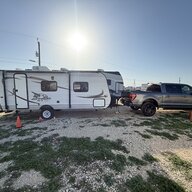
I did notice that Car typically drags on the right side on the lane a lot during City driving. Is there a setting i can tweak to adjust this one?

Regards
Naveen
 
OP
OP
Ajzride

Ajzride

Well-known member
First Name
Alan
Joined
Jun 6, 2021
Threads
28
Messages
1,986
Reaction score
2,320
Location
Houston
Vehicles
21Mach-E / 65Mustang / 21PB 502A 157"
Occupation
Automation
I am pretty happy with my Comma 3x right now, but I do like to stay reasonably up-to-date. Below shows my current software version. If I were to try out the 5.0-beta, but found it not to my liking, is it possible to put my unit back to the current state? If so, does this screen provide me with all I need to reinstall? I believe I would also have to select the model I am currently on, which is LCD (June 21, 2025). I also have screenshots of every screen, so know how I would need to set all switches.
The driving logic between 4 and 5 is 95% the same. The only reason we put 5.0 out as a beta was becasue we needed a few extra testers of the completley rewritten UI (specifically the menu system). If you are happy with how it drives, I wouldn't touch it.

Second question: The above screen seems to tell me I have a downloaded update that is ready to install. It appears I can update from this screen by selecting the install button to the right of "Install update". The second image (below) also seems to offer me an option to install the update, but also indicates that it will "reboot and update". Is one way to update preferred or are these simply identical and just located in 2 different places?
It's the same update in two different places. The only update for 4.0 is a fix to the updater that will allow you to install 5.0 beta from the menu.

If you try 5.0 and want to go back to 4.0, you will need to do a factory reset. You can't go backwards through the menu cleanly.
 
OP
OP
Ajzride

Ajzride

Well-known member
First Name
Alan
Joined
Jun 6, 2021
Threads
28
Messages
1,986
Reaction score
2,320
Location
Houston
Vehicles
21Mach-E / 65Mustang / 21PB 502A 157"
Occupation
Automation
Good morning Guys,
Question from a novice user :), I have Comma 3X with 4.0 on Ford Lightning 2023 XLT. For most part its working fine.

I did notice that Car typically drags on the right side on the lane a lot during City driving. Is there a setting i can tweak to adjust this one?

Regards
Naveen
Menu --> BluepIlot --> Lateral Settings (it's a tab on the I think),
--> Enable Advanced Lane Positioning
--> Custom In-Lane Position (you want negative numbers to move yourself left)
--> Enable Lanfull Mode
 

Naveen

Member
First Name
Naveen
Joined
Sep 15, 2025
Threads
0
Messages
20
Reaction score
0
Location
Louisville, Kentucky
Vehicles
FORD F150 Lightning 2023 XLT 311A
Menu --> BluepIlot --> Lateral Settings (it's a tab on the I think),
--> Enable Advanced Lane Positioning
--> Custom In-Lane Position (you want negative numbers to move yourself left)
--> Enable Lanfull Mode
Thank you. Appreciate your quick response on this one.
 

Sponsored

crmzncamp

Active member
First Name
Peter
Joined
Apr 22, 2025
Threads
2
Messages
38
Reaction score
26
Location
San Antonio TX
Vehicles
2021 F150 XLT 302A
updated my comma to 4.0.
Went to leave on a trip today and every dash light came on and the truck was beeping and throwing errors on every module.
Currently waiting with the battery disconnected to see if it forces the modules to reset. Anyone ever had a problem like this?
 
OP
OP
Ajzride

Ajzride

Well-known member
First Name
Alan
Joined
Jun 6, 2021
Threads
28
Messages
1,986
Reaction score
2,320
Location
Houston
Vehicles
21Mach-E / 65Mustang / 21PB 502A 157"
Occupation
Automation
updated my comma to 4.0.
Went to leave on a trip today and every dash light came on and the truck was beeping and throwing errors on every module.
Currently waiting with the battery disconnected to see if it forces the modules to reset. Anyone ever had a problem like this?
Sounds like it was blocking all canbus comms. Did it clear up if you removed the comma?
 

crmzncamp

Active member
First Name
Peter
Joined
Apr 22, 2025
Threads
2
Messages
38
Reaction score
26
Location
San Antonio TX
Vehicles
2021 F150 XLT 302A
No. Removed the comma adapter and disconnected the battery and am waiting 15 min to try again
 
OP
OP
Ajzride

Ajzride

Well-known member
First Name
Alan
Joined
Jun 6, 2021
Threads
28
Messages
1,986
Reaction score
2,320
Location
Houston
Vehicles
21Mach-E / 65Mustang / 21PB 502A 157"
Occupation
Automation
No. Removed the comma adapter and disconnected the battery and am waiting 15 min to try again
Double-check your vehicle selection in the menu (inside on a phone charger). If you accidentally picked a Q3 Ford, it would cause those issues.
 

crmzncamp

Active member
First Name
Peter
Joined
Apr 22, 2025
Threads
2
Messages
38
Reaction score
26
Location
San Antonio TX
Vehicles
2021 F150 XLT 302A
Battery reset fixed that issue.

Phew.
I’ll check on th comma once I get to Florida. Have to drive from TX to FL and was really concerned I bricked the truck
 

Sponsored


OP
OP
Ajzride

Ajzride

Well-known member
First Name
Alan
Joined
Jun 6, 2021
Threads
28
Messages
1,986
Reaction score
2,320
Location
Houston
Vehicles
21Mach-E / 65Mustang / 21PB 502A 157"
Occupation
Automation
Battery reset fixed that issue.

Phew.
I’ll check on th comma once I get to Florida. Have to drive from TX to FL and was really concerned I bricked the truck
If your not in a hurry you can pit stop in Katy and I'll help you get it all worked out.
 

PNGento

Well-known member
First Name
Rob
Joined
Jan 15, 2024
Threads
9
Messages
94
Reaction score
20
Location
Palatka FL
Vehicles
2022 F-150 Lariat
Occupation
Retired Navy
The driving logic between 4 and 5 is 95% the same. The only reason we put 5.0 out as a beta was becasue we needed a few extra testers of the completley rewritten UI (specifically the menu system). If you are happy with how it drives, I wouldn't touch it.


It's the same update in two different places. The only update for 4.0 is a fix to the updater that will allow you to install 5.0 beta from the menu.

If you try 5.0 and want to go back to 4.0, you will need to do a factory reset. You can't go backwards through the menu cleanly.
Found this in the GitHub commaAI/OpenPilot FAQs...is this how I would factory reset?: "You can also factory reset the device by tapping and holding on the comma logo while the device boots. After that, the factory reset screen will come up."
 
OP
OP
Ajzride

Ajzride

Well-known member
First Name
Alan
Joined
Jun 6, 2021
Threads
28
Messages
1,986
Reaction score
2,320
Location
Houston
Vehicles
21Mach-E / 65Mustang / 21PB 502A 157"
Occupation
Automation
Found this in the GitHub commaAI/OpenPilot FAQs...is this how I would factory reset?: "You can also factory reset the device by tapping and holding on the comma logo while the device boots. After that, the factory reset screen will come up."
or go into the software menu and hit "uninstall sunnypilot"
 

PNGento

Well-known member
First Name
Rob
Joined
Jan 15, 2024
Threads
9
Messages
94
Reaction score
20
Location
Palatka FL
Vehicles
2022 F-150 Lariat
Occupation
Retired Navy
Thanks Alan. I would never have given that option a thought.
 
Last edited:


Top