

Snakebitten
Well-known member
- First Name
- Bruce
- Joined
- Jun 19, 2021
- Threads
- 5
- Messages
- 11,560
- Reaction score
- 22,964
- Location
- Coastal Texas
- Vehicles
- 2022 F150 KingRanch Powerboost

Sponsored
Active suspension (continuously controlled damping)
You can get scales without CCDOK, I definitely don't have scales and I am 99.9999% sure I don't have Active Suspension either.
Thank you.
I have CCD, but not the scales. It may be equipped and not activated, but I didn't order them and there's nothing in settings.You can get scales without CCD
But you can't get CCD without scales
HmmmmI have CCD, but not the scales. It may be equipped and not activated, but I didn't order them and there's nothing in settings.
Not sure. I ordered Nov. of 21. Built Jan. of 22. I think I've read that scales may be able to be activated through Forscan if you have CCD. Not sure though. That would make sense based on what you're saying though.Hmmmm
At the time I ordered my truck the Ford build utility wouldn't allow for that. Interesting.
CCD requires the height sensors on all 4 corners, so it made sense that Ford was requiring scales since the scales hardware was required for CCD to operate.
Vice versa would not be true since you can have height sensors without the electronic controlled dampers/shocks.
So will it not show up in forscan if the hardware isnt there? This is mine under SCCM module. Also all the other modules in the AS builts show up there.

I have personally not tried to enable it via the text based menus. I generally don’t recommend those when making multiple changes because you really have no idea what forscan is changing behind the scenes. Forscan is very good but you are trusting they programmed that text based menu correctly…for your truck.I am curious about this Forescan "for dummies" if this can enable Glare Free, vs, changing the values in the good ole' fashion way.
Also, from the pic above, it looks like the user can choose to have either Glare Free or Adaptive Beam. I am wait to activate my Glare Free, just read through this entire post (thank you @ROBB1 and everyone else for your testing, input and support). My Adaptive works now, always has been, but I am not quite sure what this menu means. Adaptive shouldn't be affected when we turn Glare Free through the "value changing method", but it seems to be an either/or if one uses the Menu Style Forescan above.
My truck is Lariat 502A, 2021 Job2, BTW.
I have personally not tried to enable it via the text based menus. I generally don’t recommend those when making multiple changes because you really have no idea what forscan is changing behind the scenes. Forscan is very good but you are trusting they programmed that text based menu correctly…for your truck.
Specific to your question about that particular menu “Adaptive Driving Beams“ would be the correct selection.
Without diving too deep: Adaptive Driving Beams (ADB) are not the same as Adaptive Headlamps (turns when you steer) although it could include that. ADB includes the glare free function. It’s really a case of OEMs throwing around a lot of similar names or different names for the same feature.
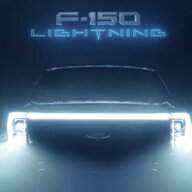
My gut tells me from the front of the truck you wouldn't see much for Anti Glare. The anti glare feature is happening behind the lens. The movement of them when you turn the wheel going around a corner would be a different situation, you should be able to see that movement.Does anyone have an outside view of the headlights anti glare feature in action? I notice mine working all the time and they're pretty neat. I can't seem to find a video of them in action. I'm curious how they work.
302A. No bending headlights for me.... ?The movement of them when you turn the wheel going around a corner would be a different situation, you should be able to see that movement.


The last two digits of any complete line are check codes xxxx xxxx xx** or xxxx xx** for example (* represents the check code). 734-01-04 0053 4E**. Forscan writes those check codes automatically and you end up with E1 in the (**) position. I did not add characters after the change in my write up which I think is the cause of the confusionHELP....
Something is not working.
I changed values in Forescan.
I immediately got the green auto highbeam instead of the white, continued with the rest of values but still don't see Glare Free in the Settings, it still shows Auto High Beam.
I had two DTCs - HCM and IPMA which resulted in Check Headlamp System error on the screen:
I cleared them, did another cycle (or two), the error is gone and so is the HCM DTC. The only DTC left after several power cycles is the IPMA.
These are the DTCs. Again - the HCM is now gone:
I double checked all five modules, they are all correct except the last value which is the calibration in HCM.
What confuses me is that it should be 734-01-04 xx53 4E, however, the only line with this format of 4-2 characters is 734-02-04, not 01.
I tried xx53 4E in both, 01-04 won't take it because it's looking for 4 characters of course. 02-04 does it take it, but as soon as I write it, it changes to something else (9C instead of 4E).
I restored the HCM file that I backed up before starting messing with it.
Here is my current setup. The last one of course is incorrect (HCM).
What am I doing wrong?
BTW - my headlights still dancing, no issue there.
Any assitance will be greatly appreciated.
OK, so first an update - I re-read the thread last night and saw one of your posts where you said that it may take time for the menu to change from Auto Highbeam to Glare Free, that it needs either a module reset or "to rest" for some time. I went back to the truck a few hours later last night and the Glare Free is there.The last two digits of any complete line are check codes xxxx xxxx xx** or xxxx xx** for example (* represents the check code). 734-01-04 0053 4E**. Forscan writes those check codes automatically and you end up with E1 in the (**) position. I did not add characters after the change in my write up which I think is the cause of the confusion
During a change like this it’s normal to set some DTCs and warnings, especially mid process.
I don’t see an issue with the changes you made for the glare free so you should be good there.
As far as the lingering IPMA DTC that’s not one I’ve seen directly related to the glare free. I have a couple of quick suggestions to try:
-If you made a backup of the IPMA: restore it with the backup, clear DTC and recheck. Then go and make the glare free change again. Clear DTCs and recheck. This will fix any potential inadvertent changes and tell you if the IPMA change is causing the DTC.
-Preform a module reset on the IPMA (wrench icon in forscan). Then clear DTCs and recheck.
-Go for a drive. Come back and clear DTCs and recheck.
 . I will report back.


