Sponsored

2025 - How to Add SecuriCode

OP
OP

DD519

Active member
First Name
Dan
Joined
Feb 27, 2025
Threads
1
Messages
44
Reaction score
63
Location
Ontario, Canada
Vehicles
2025 F150 Lariat 502a
Thanks for the reply. I think Apple ford is US based though. I’m located in Toronto, Canada
I ordered it from Rose City Ford in Windsor. You could also try Eastgate Ford, I ordered parts online and had it shipped to me before
Sponsored


DeltaDeuce

Well-known member
First Name
Tom
Joined
Jan 18, 2022
Threads
1
Messages
68
Reaction score
53
Location
Dallas, Texas
Vehicles
25 F150 Platinum Powerboost 703A Trim fka Limited
Hi everyone! Just wanted to share how I was able to install the OEM SecuriCode door keypad. I took delivery of my 2025 Lariat about a month ago which had the dealer installed option $280CAD. To my surprise, it was a keypad that is battery operated and attached above the driver door with double sided tape.

Overall it took me about 90 minutes. You will need to program the keypad using Forscan. Definitely worth it in my opinion. Much cleaner look than the dealer installed option, and you don't need to worry about the battery/ someone removing the keypad.

Tools you will need:
7mm socket and wrench
plastic trim removal tools
painters tape (optional)
Forscan adapter
IMG_8610[1].jpg

I was able to go to the parts desk at my local dealer to buy the OEM parts to make it happen.
FL3Z-1520555-SG MOULDING (Trim panel)(gloss black) $122CAD
There is also another version that is a flat black. Unfortunately I do not have the part number for that.
FL3Z-14A626-AH ACTUATOR (Key pad) $47CAD
IMG_8612.jpg

First step is to remove the screw behind the driver door. Torx T20
IMG_8617.jpg


Next step, I put some painters tape below the belt moulding just to protect the paint from any scratches. I then used a plastic trim panel removal tool. Carefully, I inserted the tool below the moulding, and unclipped it. Be careful as it is delicate and held in place with metal clips.
IMG_8621.jpg

As you can see, it is held in place with those metal clips (silver).

IMG_8619.jpg

I then rolled my window down, and was able to pull the weather stripping out. This will expose x4 7mm bolts holding the existing panel in place.

IMG_8623.jpg

Now to remove the old panel, you must pull the left side towards you and slide the panel to the right.

IMG_8625.jpg

Next step is to feed the wire through the new panel. Snap the keypad into the new panel. Reattach the new panel by sliding left of the door frame. Reinstall the x4 7mm bolts. Do not overtighten.
IMG_8628.jpg

Now we must remove the door panel in order to get access to the electrical connector. The door panel is held in with several 7mm bolts and plastic clips. To remove the door panel, we must remove the 2 bolts located at the bottom.
IMG_8629.jpg

Using a plastic trim removal tool, I removed the red reflector. You want to pop out the top side of the reflector, followed by the bottom. This will expose another 7mm bolt which you will need to remove.
IMG_8631.jpg


Underneath the grab handle is a plastic cover. First you remove the top right side, then top left side, followed by the bottom.
Once you remove that plastic cover, you will find x2 7mm bolts. (Note* they are longer than the other bolts holding the door panel on)
IMG_8635.jpg

Now we will remove the panel behind the mirror. It is also held in by clips. Using the plastic panel removing tool, carefully pry the panel off. There are two plastic clips on the bottom side, and two metal clips on the right side. I did not find it necessary to unplug this panel. I left it floating as I removed the last 7mm bolt holding the door panel on.
IMG_8637.jpg

With the door panel set aside, I did not unplug any electrical connector. You will need to peel back the top left of the plastic sheet. At this point, I raised the window up and reached my hand up inside the panel to grab the harness from the new keypad.
IMG_8639.jpg

Here you will find the electrical connector from the truck side. Remove the dummy plug by squeezing the plastic tab closest to you.
IMG_8641.jpg


I connected the new keypad into the connector from the truck side. Make sure you match the black wires up (furthest side from you). I also attached the plastic rivet into the door brace.
Reattach the plastic sheet by pushing on the black sealant. Reinstall the door panel, and attach all bolts/ covers.
IMG_8650.jpg

Here is what the final result should look like. Now we will need to use Forscan to program the keypad.
Link to Livnitup's Forscan spreadsheet. Follow instructions for (keypad enable)

IMG_8649.jpg

Once it is programmed, look under vehicle settings and you will find the door keypad code menu. This is where you will enter the factory code in order to add your personal code. To find the factory code,
"If you don't know your truck's factory code then you can get it to display if you have both vehicle keys with the following procedure:
1. Insert first key in ignition and turn to ON wait 4 seconds, turn OFF and remove key.
2. Insert second key and turn to ON wait 4 seconds - FACTORY KEY CODE will display on instrument panel. You can now use factory code to change code in SYNC."

Simple as that!
Bonus*
To lock the truck from the outside with the keys inside, just press the 7/8 & 9/0 buttons simultaneously.
On the previous generation, you were able to remotely drop the tailgate by entering your door code, followed by the 5/6 button. Unfortunately I was not able to get this to work on my 2025. I'm not sure if it is because I have the pro access tailgate.

IMG_8612.jpg


IMG_8641.jpg
Just did this on a 2025 Platinum Plus. Worked perfect and followed you step by step. Only hard part was routing the wire behind the "stuff". Need smaller hands! Lost one screw for the B pillar, don't hear it rattling so we will call it a win. Thanks for the write up!
 

FirstTimeFord

Well-known member
Joined
Apr 9, 2022
Threads
14
Messages
667
Reaction score
555
Location
Florida
Vehicles
25 Platinum Eco 5.3 FX4 Carbonized - 23 Plat (totaled)
Just did this on a 2025 Platinum Plus. Worked perfect and followed you step by step. Only hard part was routing the wire behind the "stuff". Need smaller hands! Lost one screw for the B pillar, don't hear it rattling so we will call it a win. Thanks for the write up!
Same here ? Worked magnet a while but gave up. cant hear it over the railroad tracks, I'm good. I'd stuff a rag bottom of B Pillar if I did it again.
 

F150Nomad

New member
Joined
Jun 25, 2025
Threads
0
Messages
3
Reaction score
3
Location
MountainWest
Vehicles
2025 F150 Tremor High/402A
Did this mod on 2025 Tremor 402A/May2025 build-Job2 -- had dummy plug/expected harness.

Mod DIY difficulty Rating: 5.5/10 -- leans DIY but enough touch points where one time install fee is reasonable (and a no-brainer if don't have a handful of tools/space/time).

Took me probably better part of 2-3 hours. Parts were ~$160 online or so (msrp at ~250 now) -- ended up at ~$105 after FordPass points. If paying for it, I'd say its probably landing squarely in 300-$500 installed territory (someone who has done a couple of these likely can run it under 30 minutes).

Random notes from my go at it:
- This video was useful but little incomplete: (their's was a Lightning but identical install)

- Took the truck out for ~20-30 minute errand before attempting, weather north of 80 degrees so it likely helped make some of the bits a little more pliable (e.g. the black adhesive was like gum when pulling down).

- Wrapping the bezel in a microfiber + rubber bands will help avoid scuffs as futzing with the wire run.

- Throwing in a microfiber towel as unscrewing and re-screwing the bezel 4 bolts will save your butt when a bolt falls down.

- Keep the door panel plugged in after you pop it off. A bucket underneath will help it stay up as you lean it into the cabin. Why: Will need to lower and raise the window a few times as install wiring and brackets as well as validating window clearance before buttoning everything back up.

- No major issues from disconnecting blue cruise camera module when installing. That said, it did appear to throw a DTC/code in Forscan, but I cleared those out. Ditto codes for when I swapped out LED license plate lights. Forscan appears read and clear those just fine. In hindsight would of just left it hanging.

- I was able to avoid touching the front window bracket by instead pulling the window gasket mostly out. However when installing the new bezel ending needing to pop that bracket up up. In hindsight that bracket exterior is kinda soft and quick to dent so might make sense to pop it earlier.

- Black goo stuff adhesive holding the plastic cover was able to on pull and then can slice/pierce with blade (it glues back together nicely on reapply). I only needed to pull down halfway.

- Used a 4ft fiberglass wire pole, made the wire run way easier -- you will see in the photo where needed to do pretty flexible bend.
- Went with the bottom hole/3rd hole for running the cable (see photo below)
- Attempting to run wire toward the window was mistake, see photo below on suggested route. Guy in video ran into same problem. Bottom hole, go right hard, down halfway, then sharp left - adult hand can much easier grab the fiberglass pole at that halfway point and bend it inward.

- Was only able to push the last white pin/clip, not sure where the first one would pin to.

- Only casualty of my install appears to be one o-ring fell off, presumably from back of the door panel. Not sure where/why but if someone knows feel free to share.

Ford F-150 2025 - How to Add SecuriCode 1

Ford F-150 2025 - How to Add SecuriCode 2

Ford F-150 2025 - How to Add SecuriCode 3

Ford F-150 2025 - How to Add SecuriCode 4
 
Last edited:

Sponsored

Gator9329

Well-known member
Joined
Jun 2, 2025
Threads
3
Messages
58
Reaction score
18
Location
Burlington, MA
Vehicles
2025 F150 lariat Powerboost
Occupation
Buying more stuff for this truck
Did this mod on 2025 Tremor 402A/May2025 build-Job2 -- had dummy plug/expected harness.

Mod DIY difficulty Rating: 5.5/10 -- leans DIY but enough touch points where one time install fee is reasonable (and a no-brainer if don't have a handful of tools/space/time).

Took me probably better part of 2-3 hours. Parts were ~$160 online or so (msrp at ~250 now) -- ended up at ~$105 after FordPass points. If paying for it, I'd say its probably landing squarely in 300-$500 installed territory (someone who has done a couple of these likely can run it under 30 minutes).

Random notes from my go at it:
- This video was useful but little incomplete: (their's was a Lightning but identical install)

- Took the truck out for ~20-30 minute errand before attempting, weather north of 80 degrees so it likely helped make some of the bits a little more pliable (e.g. the black adhesive was like gum when pulling down).

- Wrapping the bezel in a microfiber + rubber bands will help avoid scuffs as futzing with the wire run.

- Throwing in a microfiber towel as unscrewing and re-screwing the bezel 4 bolts will save your butt when a bolt falls down.

- Keep the door panel plugged in after you pop it off. A bucket underneath will help it stay up as you lean it into the cabin. Why: Will need to lower and raise the window a few times as install wiring and brackets as well as validating window clearance before buttoning everything back up.

- No major issues from disconnecting blue cruise camera module when installing. That said, it did appear to throw a DTC/code in Forscan, but I cleared those out. Ditto codes for when I swapped out LED license plate lights. Forscan appears read and clear those just fine. In hindsight would of just left it hanging.

- I was able to avoid touching the front window bracket by instead pulling the window gasket mostly out. However when installing the new bezel ending needing to pop that bracket up up. In hindsight that bracket exterior is kinda soft and quick to dent so might make sense to pop it earlier.

- Black goo stuff adhesive holding the plastic cover was able to on pull and then can slice/pierce with blade (it glues back together nicely on reapply). I only needed to pull down halfway.

- Used a 4ft fiberglass wire pole, made the wire run way easier -- you will see in the photo where needed to do pretty flexible bend.
- Went with the bottom hole/3rd hole for running the cable (see photo below)
- Attempting to run wire toward the window was mistake, see photo below on suggested route. Guy in video ran into same problem. Bottom hole, go right hard, down halfway, then sharp left - adult hand can much easier grab the fiberglass pole at that halfway point and bend it inward.

- Was only able to push the last white pin/clip, not sure where the first one would pin to.

- Only casualty of my install appears to be one o-ring fell off, presumably from back of the door panel. Not sure where/why but if someone knows feel free to share.

Thanks for taking the time to post all your findings.
It will be helpful to us who are doing this next.
 

Bamcis16

Member
Joined
May 8, 2023
Threads
0
Messages
7
Reaction score
4
Location
San Diego
Vehicles
2025 F150 Lariat 501a Powerboost
Completed my install today. About 3 hours total on install. Keypad works great. But another problem sprung up

now the fwd and back button on my steering wheel (for skipping songs in CarPlay) don’t work. Maybe something I did?

Thanks for all the info, super helpful. A shame ford removed this feature.
 

MPBFord

Member
First Name
Aaron
Joined
Jun 17, 2025
Threads
0
Messages
23
Reaction score
19
Location
Seattle
Vehicles
2025 F-150 King Ranch PB
This is an interesting thread. Honestly, when I saw that the F150 I was buying had the dealer installed keypad, I wasn't totally on board with it, but it was part of the order, so oh well.

But then it showed up and I looked at it, and you know what? It's fine. :) I'm coming at this from never having had a keypad on any car, and I don't really care that it's a stick-on above the door handle, as opposed to something on the B pillar.
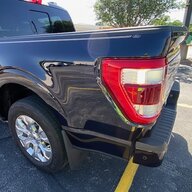
So, this thread is cool because if people really want that hardwired option, and the harness is there, well that's cool. But if it's too much work or your truck is missing the prewired harness, give the DIO keypad a shot. It's all good. I wonder how long the battery will last but I presume it's all a matter of how often you use it.

Since I've never used something like it before, I can't say how often I'll opt for that instead of the keyfob. I admit it would be nice to leave the fob in the truck while I'm out hiking or something. There have been times in my old truck where I'm off hiking with my key in my pocket, and the thought it always in the back of my mind "What if I lose it? I'm screwed!" On longer hikes I'd hide the key rather than risk dropping it somewhere on a hike lasting several days, but then you're also wondering if someone would come across it, or a tricky raccoon finds it and, I dunno... takes my truck for a spin? :)
 

Crewdawg1981

New member
First Name
Grant
Joined
Jul 29, 2025
Threads
0
Messages
3
Reaction score
2
Location
Atlanta, GA
Vehicles
2025 Raptor R
Got the parts and did the install on Saturday. Used Forscan and got up and running in my 25 Raptor. Was a little nervous at first, but the install really was super easy.

Question I have for those of you that have installed it on your 25s... have you been able to add a new personal access code? The online manual says to 1) enter your code, 2) push the top two buttons, 3) enter your new five digit code, 4) press the top two buttons again... this definitely is not working.

And the settings within the infotainment center dont have a keyfob or keypad menu/option.
 

Sponsored


digitaltrucker

Well-known member
First Name
Ed
Joined
Aug 6, 2020
Threads
18
Messages
404
Reaction score
209
Location
Texas
Vehicles
2021 F150 Platinum, 2013 F150 Lariat, 2008 F150 Lariat, 2005 XLT, 89 F150 Lariat
Got the parts and did the install on Saturday. Used Forscan and got up and running in my 25 Raptor. Was a little nervous at first, but the install really was super easy.

Question I have for those of you that have installed it on your 25s... have you been able to add a new personal access code? The online manual says to 1) enter your code, 2) push the top two buttons, 3) enter your new five digit code, 4) press the top two buttons again... this definitely is not working.

And the settings within the infotainment center dont have a keyfob or keypad menu/option.
It does not sound like it is fully installed. When my wife’s 25 Explorer was done by the dealer, it showed up on the big screen and there is a programming sequence you can do to get the master code to display. You need the master code to enter a secondary code.

wait is this the stick on or the b pillar?
 

Crewdawg1981

New member
First Name
Grant
Joined
Jul 29, 2025
Threads
0
Messages
3
Reaction score
2
Location
Atlanta, GA
Vehicles
2025 Raptor R
It does not sound like it is fully installed. When my wife’s 25 Explorer was done by the dealer, it showed up on the big screen and there is a programming sequence you can do to get the master code to display. You need the master code to enter a secondary code.

wait is this the stick on or the b pillar?
So, this is the old style keypad (like others are installing here on their 25s). I didnt want the stick on keypad they came out with this year.

I got my master code, and the keypad works. I just want to be able to add a code(s) as well.

I followed the instructions in the video linked here a few pages back. Looking at the original instructions now, i see additional steps to use to enable the keypad, so i'll try those.
 
OP
OP

DD519

Active member
First Name
Dan
Joined
Feb 27, 2025
Threads
1
Messages
44
Reaction score
63
Location
Ontario, Canada
Vehicles
2025 F150 Lariat 502a
I was able to add a new code through the radio settings. At first the settings did not show up, but restarting the truck solved that issue

Got the parts and did the install on Saturday. Used Forscan and got up and running in my 25 Raptor. Was a little nervous at first, but the install really was super easy.

Question I have for those of you that have installed it on your 25s... have you been able to add a new personal access code? The online manual says to 1) enter your code, 2) push the top two buttons, 3) enter your new five digit code, 4) press the top two buttons again... this definitely is not working.

And the settings within the infotainment center dont have a keyfob or keypad menu/option.
 

Crewdawg1981

New member
First Name
Grant
Joined
Jul 29, 2025
Threads
0
Messages
3
Reaction score
2
Location
Atlanta, GA
Vehicles
2025 Raptor R
I was able to add a new code through the radio settings. At first the settings did not show up, but restarting the truck solved that issue
Yeah, i think that was my issue exactly. I had added the keypad through forscan, but wasnt seeing the menu. Last night when i went back out to the truck to retry forscan, the menu option was there. So it had to be that I was just not being patient and needed to restart the truck once or a few times. Now we're good to go.
 

BringBackTheKeyPad

Well-known member
Joined
Sep 1, 2025
Threads
4
Messages
48
Reaction score
13
Location
Florida
Vehicles
2025 XLT
I'm looking into doing this and was hoping someone could answer a few questions:

1) Can I lock my FOB in the truck with this keypad like you can on prior years (seems like yes but want to confirm). Currently if I try to lock my fob inside the truck beeps and unlocks the doors.

2) Little paranoid about water. I've done tons of DIY work on cars but neve messed with weather stripping or areas meant to keep water out (can water leak through where the pad snaps in too?). Anyone had any issues?

3) How has the price of these parts doubled in 6 months?! Still worth it but the battery option is now cheaper.
Sponsored


Top