
Sponsored
14 updates.Not an F150, can someone check my explorer ST for updates please?
1FM5K8GC4LGB49873
All seem to be major modules
dolsen
Well-known member
Well fuck me, this actually makes me pretty upset because I just had the thing at the dealer 3 times for the same issue and they had that car for probably 4 weeks in total, and they didn't update a damn thing, when they told me they did.14 updates.
All seem to be major modules
They didnt update anythign. They cleared your transmission adaptive tables in August.. Thats it not one modules was updated.Well fuck me, this actually makes me pretty upset because I just had the thing at the dealer 3 times for the same issue and they had that car for probably 4 weeks in total, and they didn't update a damn thing, when they told me they did.

dolsen
Well-known member
Thanks for sharing that. It was in for some trans issues, and it would take me a while to type it all out, so I'll spare y'all the details. Man that's frustratingThey didnt update anythign. They cleared your transmission adaptive tables in August.. Thats it not one modules was updated.
EDIT: if that sad face is considered negative reaction score, I'll remove it
Sponsored
Demps
Well-known member
Thanks for detailed instructions.Usually it's in this order (after you've prepared the USB using FDRS):
- Start your truck
- Insert the USB drive into the truck's main USB port
- Wait until you see a prompt on the truck's display to let you know that the update has started and not to remove the USB drive until instructed to do so
- At some point (varies based on the update), you'll see a prompt on the truck's display to restart the truck
- After restarting the truck, at some point you'll see an indication that the update was successful and that you can remove the USB drive
- Plug the USB drive back into your laptop and click "Yes" to let FDRS know it was successful (or not)
- FDRS will then read some info from the drive and update its servers accordingly
Hopefully OTA works. If not I’m prepared to do it myself.
Yellowjackets369
Member
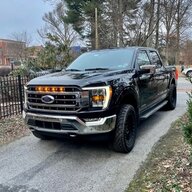
Alright any help would be appreciated, I have a powerboost. A few weeks ago I performed done updates using the nano, prior to reading this forum, and bricked the CCM module. I also attempted to update the BCM which failed but didn't lock down the truck like others experienced. The only thing that was broken was the bed lamps (which did work prior). I have since gotten the mongoose and fixed the CCM module, and did a PMI on the BCM but that has not fixed the bed lamps. Does Anyone have any ideas what I could do to fix this?
RickBullotta
Well-known member
- First Name
- Rick
- Joined
- May 23, 2022
- Threads
- 34
- Messages
- 1,021
- Reaction score
- 1,260
- Location
- Pennsylvania
- Vehicles
- 2021 F-150 Lariat Powerboost
I had the same issue. There's a change that needs to be made in FDRS to get them working again. @Jesse-Infotainment knows which address needs to be changed to what. I think it's related to the way bed lamps are part of a different package in the '22 and '23 trucks. Reach out to him and he can hook you up with the specifics.Alright any help would be appreciated, I have a powerboost. A few weeks ago I performed done updates using the nano, prior to reading this forum, and bricked the CCM module. I also attempted to update the BCM which failed but didn't lock down the truck like others experienced. The only thing that was broken was the bed lamps (which did work prior). I have since gotten the mongoose and fixed the CCM module, and did a PMI on the BCM but that has not fixed the bed lamps. Does Anyone have any ideas what I could do to fix this?

Mike G
Well-known member
- First Name
- Mike
- Joined
- Jan 6, 2022
- Threads
- 1
- Messages
- 511
- Reaction score
- 382
- Location
- N. AL, USA
- Vehicles
- 2022 F-150 Lightning, 2023(J1) Mach-E GT-PE
No soup for you!Anyone care to take a peak?
1FTFW1ED0MFB66211
Sponsored
flashtek
Well-known member
- First Name
- John
- Joined
- Apr 23, 2021
- Threads
- 3
- Messages
- 45
- Reaction score
- 18
- Location
- Round Rock, Texas
- Vehicles
- 2021 Ford F-150
Is this the one where it could take up to two weeks, a month or longer? But if I've read enough about this and how some USB sticks can be made, you no longer need FDRS for this to complete? If you have the USB, you don't even need FDRS at all? Just clarifying for myself and anyone that may read this particular post out of the 6,000 in this thread alone.Usually it's in this order (after you've prepared the USB using FDRS):
- Start your truck
- Insert the USB drive into the truck's main USB port
- Wait until you see a prompt on the truck's display to let you know that the update has started and not to remove the USB drive until instructed to do so
- At some point (varies based on the update), you'll see a prompt on the truck's display to restart the truck
- After restarting the truck, at some point you'll see an indication that the update was successful and that you can remove the USB drive
- Plug the USB drive back into your laptop and click "Yes" to let FDRS know it was successful (or not)
- FDRS will then read some info from the drive and update its servers accordingly
Mike G
Well-known member
- First Name
- Mike
- Joined
- Jan 6, 2022
- Threads
- 1
- Messages
- 511
- Reaction score
- 382
- Location
- N. AL, USA
- Vehicles
- 2022 F-150 Lightning, 2023(J1) Mach-E GT-PE
This post was in reference to using FDRS and creating the USB drive and the process for programming. As Rick points out at the start of the post " (after you've prepared the USB using FDRS)".Is this the one where it could take up to two weeks, a month or longer? But if I've read enough about this and how some USB sticks can be made, you no longer need FDRS for this to complete? If you have the USB, you don't even need FDRS at all? Just clarifying for myself and anyone that may read this particular post out of the 6,000 in this thread alone.

Paul Neubauer
Well-known member
Come back 1 year!!No soup for you!
RickBullotta
Well-known member
- First Name
- Rick
- Joined
- May 23, 2022
- Threads
- 34
- Messages
- 1,021
- Reaction score
- 1,260
- Location
- Pennsylvania
- Vehicles
- 2021 F-150 Lariat Powerboost
First of all, you need FDRS to download and configure the appropriate files on the USB stick *for your truck*. In terms of timing, the longest I've had to wait for the first message is about 15 minutes, and the longest the update itself has taken is about 30-40 minutes. You leave FDRS running during all of this, and when completed (and when prompted on the truck display) take the USB back to your laptop and plug it in and click "yes" in FDRS when asked if the update was successful. FDRS will then use the information on the USB stick to upload some data to the Ford servers to keep track of what has been installed and perhaps some other diagnostic information.Is this the one where it could take up to two weeks, a month or longer? But if I've read enough about this and how some USB sticks can be made, you no longer need FDRS for this to complete? If you have the USB, you don't even need FDRS at all? Just clarifying for myself and anyone that may read this particular post out of the 6,000 in this thread alone.
Sponsored


