Sponsored

FORSCAN Recommendations for Beginners

sarnold247

Active member
First Name
Spencer
Joined
Mar 23, 2024
Threads
5
Messages
27
Reaction score
9
Location
New Jersey
Vehicles
2023 F150 XLT SuperCrew 3.5 with FX4 and 3.55 gear
Occupation
DoD Contractor
Hey guys, apologies in advance if this type of thing has been covered before. I am brand new to the world of forscan and modifying items within the computer modules of a vehicle outside of a plug n play tuner. I have a 2023 F150 CCSB XLT with the 3.5, FX4, Blackout package, etc. I’m wondering what recommendations yall have I should look into making first? Cables coming via Amazon in the morning and then I’ll be downloading the software and binge watching YouTube tutorials. Appreciate any suggestions or links to guides you found to be helpful!
Sponsored


 

m_bt54

Well-known member
First Name
Bryan
Joined
Nov 16, 2022
Threads
15
Messages
1,050
Reaction score
1,066
Location
Massachusetts
Vehicles
2021 F150 Lariat Powerboost Hybrid
Occupation
IT Director
Hey guys, apologies in advance if this type of thing has been covered before. I am brand new to the world of forscan and modifying items within the computer modules of a vehicle outside of a plug n play tuner. I have a 2023 F150 CCSB XLT with the 3.5, FX4, Blackout package, etc. I’m wondering what recommendations yall have I should look into making first? Cables coming via Amazon in the morning and then I’ll be downloading the software and binge watching YouTube tutorials. Appreciate any suggestions or links to guides you found to be helpful!
Request the temp license now because it could take a bit to get it. The full licenses aren’t available at the moment.

make a backup of the modules before making changes

pick a change off the common tab that you want that only requires one change first

read through at least the first 5-10 pages of the pinned forscan thread. More if you can. I read it all before making changes myself.
 

Kanuck

Well-known member
First Name
Don
Joined
Aug 9, 2021
Threads
33
Messages
2,727
Reaction score
2,875
Location
Winnipeg, Manitoba
Vehicles
2021 XLT Scab 3.5 EB 6.5 Carbonized Grey Metallic
Occupation
Retired Electrician
This above and just a few things I did...

I keep a power supply/charger on the battery...pos to pos and neg to a bolt on the top of the rad cradle.
BACK UP existing settings before any changes.
I do one change at a time and check to make sure it works.
Make a list of existing values per line and also what your changing the values to.
 
OP
OP
sarnold247

sarnold247

Active member
First Name
Spencer
Joined
Mar 23, 2024
Threads
5
Messages
27
Reaction score
9
Location
New Jersey
Vehicles
2023 F150 XLT SuperCrew 3.5 with FX4 and 3.55 gear
Occupation
DoD Contractor
Request the temp license now because it could take a bit to get it. The full licenses aren’t available at the moment.

make a backup of the modules before making changes

pick a change off the common tab that you want that only requires one change first

read through at least the first 5-10 pages of the pinned forscan thread. More if you can. I read it all before making changes myself.
Something about Russian banks or whatever. Guessing these guys aren’t based in America lol who would’ve guessed
 

m_bt54

Well-known member
First Name
Bryan
Joined
Nov 16, 2022
Threads
15
Messages
1,050
Reaction score
1,066
Location
Massachusetts
Vehicles
2021 F150 Lariat Powerboost Hybrid
Occupation
IT Director
Something about Russian banks or whatever. Guessing these guys aren’t based in America lol who would’ve guessed
Yea shouldn’t be an issue. Some never buy a real license and just keep renewing the temp ones whenever they need it. I always liked to send them the few bucks and have the convenience of only renewing annually.
 

Sponsored

powerboatr

Well-known member
First Name
Robert
Joined
May 9, 2022
Threads
173
Messages
4,343
Reaction score
5,427
Location
North East Texas, Piney Woods
Vehicles
2024 F250 King Ranch Chrome
Occupation
Retired Navy Senior Chief
And

Go to the forscan home page
Read, watch the videos, read the forums
It's a nice tool for us
 

Buyer2021

Well-known member
First Name
Alan
Joined
Feb 9, 2021
Threads
49
Messages
3,136
Reaction score
5,646
Location
central TX
Vehicles
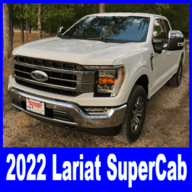
2022 Lariat SuperCab and 2005 XLT SuperCab
Occupation
retired!
Appreciate any suggestions or links to guides you found to be helpful!
Read and use the backup procedures described in the tutorial linked in THIS POST by @Livnitup .
make a backup of the modules before making changes
AND
make a backup of the modules before making changes
Nope can't be said enough or done too often.

99.999% of the FORScan problems folks report on this forum can be avoided / remediated (fixed) by saving a backup of changes before each change!

Don't rely on a backup saved yesterday or 'x' days, weeks, or months ago when you last used FORScan to make changes - save a CURRENT backup immediately before making ANY changes.


It may add a bit of time to your FORScan sessions, you may never need the backups, but IF for whatever reason things go a bit amiss, you'll thank your lucky stars for having taken that time to SAVE THAT CURRENT BACKUP.

(anyone can make an unintended 'fat-fingered' mistake and need saving sometime :wink:)
 
Last edited:

YabbaDabbaDo

Active member
Joined
Feb 3, 2024
Threads
2
Messages
38
Reaction score
26
Location
Bedrock
Vehicles
Edsel
Hey guys, apologies in advance if this type of thing has been covered before. I am brand new to the world of forscan and modifying items within the computer modules of a vehicle outside of a plug n play tuner. I have a 2023 F150 CCSB XLT with the 3.5, FX4, Blackout package, etc. I’m wondering what recommendations yall have I should look into making first? Cables coming via Amazon in the morning and then I’ll be downloading the software and binge watching YouTube tutorials. Appreciate any suggestions or links to guides you found to be helpful!
1. There is a FORScan sticky thread on this forum. It's the 2nd one down if you are having trouble finding it. I recommend that you read it.
2. On that thread in post #1, there is a link to the right of "My FORScan tutorial is here:". I recommend that you read it.
 

Severdog

Well-known member
First Name
Craig
Joined
Dec 20, 2021
Threads
27
Messages
410
Reaction score
539
Location
Landrum, SC
Vehicles
2022 F150 XLT Sport PB SuperCrew 6.5' 7.2Kw
Occupation
Trader
You want to create small "wins" to get started. Your confidence will increase as you learn how to:

  • connect your laptop to the truck and get the FORScan app to talk to it
  • perform your first backup and save those files to non-disruptive storage
  • make your first config edit.
I have only made a couple of small FORScan edits but they were huge.

Start with the "double honk on exit" which is a valuable one to accomplish, especially at 4am on a quiet street.

Once you successfully get your first win with a valid config change that you test, then close it all down by backing up and exercising the entire process. Don't get greedy and change a bunch of stuff day one; your goal is to learn to follow a process by creating a system for yourself.

You'll have lots of time for changes and edits. You'll have no time if you brick your truck due to poor discipline.

cheers
Sponsored


Top